AI Reviewers bring automated compliance checks directly into your review workflow, working alongside human reviewers to evaluate content against brand and regulatory standards. Instead of relying solely on manual review, AI Reviewers act as guardian agents, flagging issues early and ensuring your content meets required standards before it moves forward. The same AI Reviewers also power checks in tools like the Lytho Chrome Extension and Canva Integration, helping enforce consistent standards wherever content is created.
By identifying compliance issues early, whether during content creation or as part of the review process, AI Reviewers help reduce rework, accelerate approval cycles, and allow teams to focus on higher-value, strategic feedback. This enables organizations to scale content creation while maintaining control, consistency, and compliance across every asset.
Features described in this article are not included in all subscription plans. Interested in expanding your feature set? Contact the Lytho Support Team for further assistance.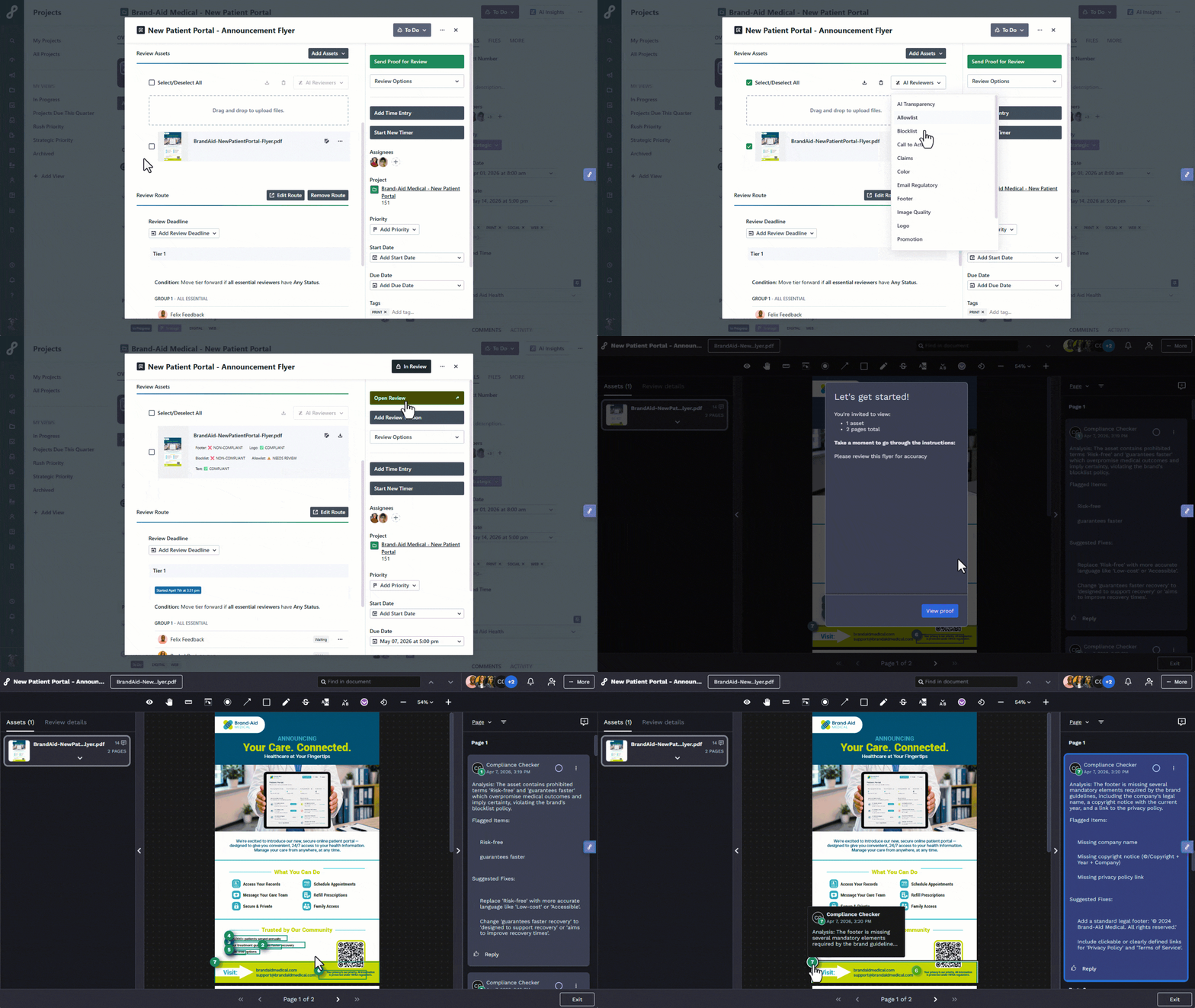
TABLE OF CONTENTS
- Prerequisites
- How to Use AI Reviewers
- AI Reviewer Skills
- Pair AI Reviewers with the Chrome Extension and Canva Integration
Prerequisites
Most AI Reviewers can be used in their default state without any customization. Lytho provides default AI Reviewer Skills that allow teams to begin using AI Reviewers right away for brand and regulatory compliance checks.
If your organization requires more tailored checks, the Lytho team will handle AI Reviewer Skill customization based on your specific brand standards, regulatory requirements, and workflow needs. During implementation, our team will guide you on what is needed to help your AI Reviewers perform effectively for your organization.
How to Use AI Reviewers
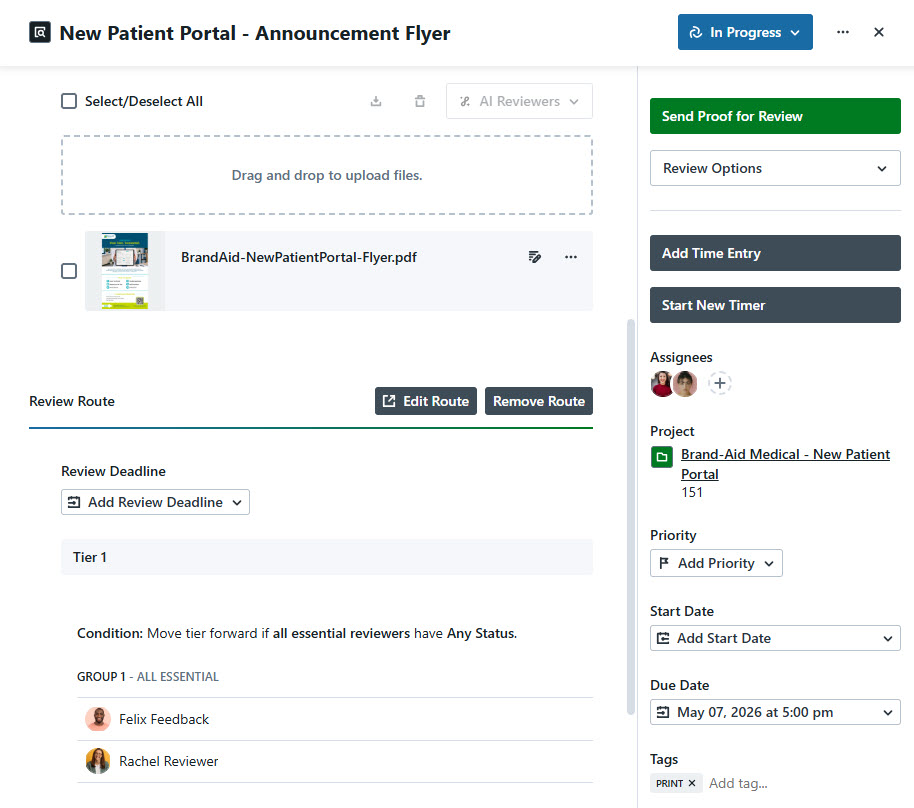
Open your Proof and set it up as you normally would, including adding your asset(s) and applying a Review Route.
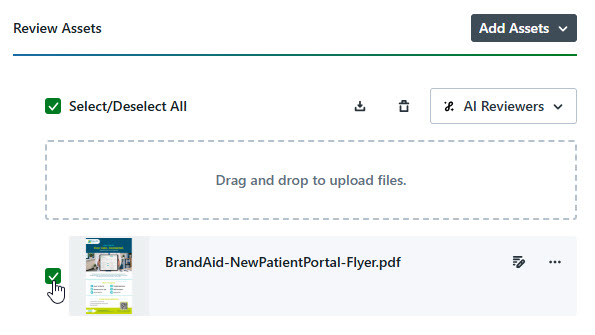
Use the checkbox next to the asset thumbnail to select the asset(s) you want to configure for AI Reviewer checks.
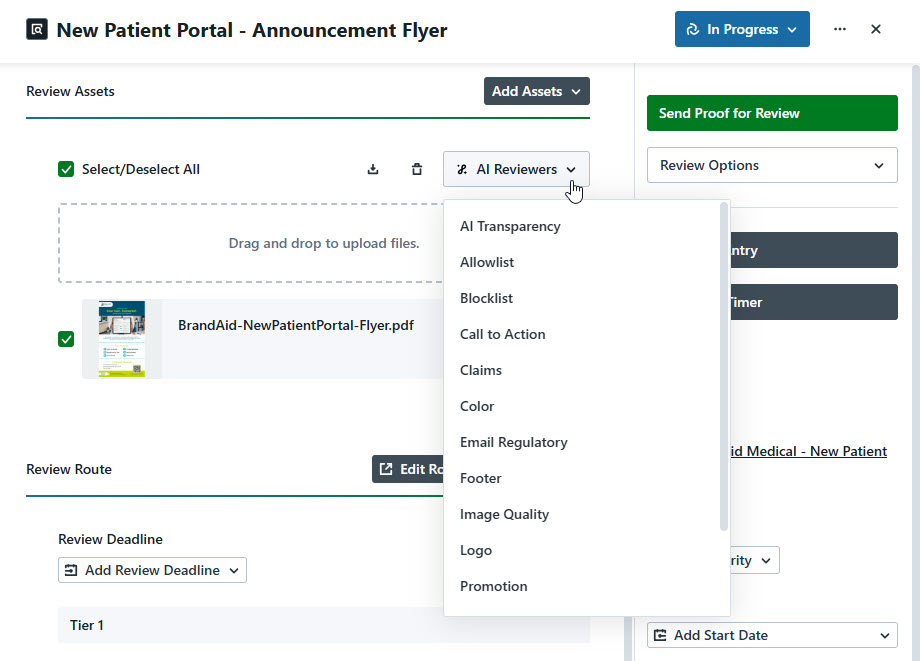
Select the AI Reviewer dropdown to choose the AI Reviewer(s) you want applied to each asset during Review. Available AI Reviewers depend on the asset type, so not all AI Reviewer will appear for every asset. You can assign different AI Reviewers to different assets within the same Proof.
Once your Proof is set up and AI Reviewers are assigned, send the Proof as you normally would.
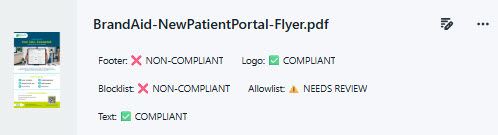
An overview of the AI Reviewers applied, along with their finding statuses, will be available for each asset where AI Reviewers were used. There are three finding states your AI Reviewers can fall into:
- Non-Compliant: The content does not meet compliance requirements and requires updates.
- Needs Review: A potential issue was detected, but the AI Reviewer is not fully certain. These should be reviewed carefully, as they may still require updates.
- Complaint: The content meets the selected compliance criteria and no issues were detected.
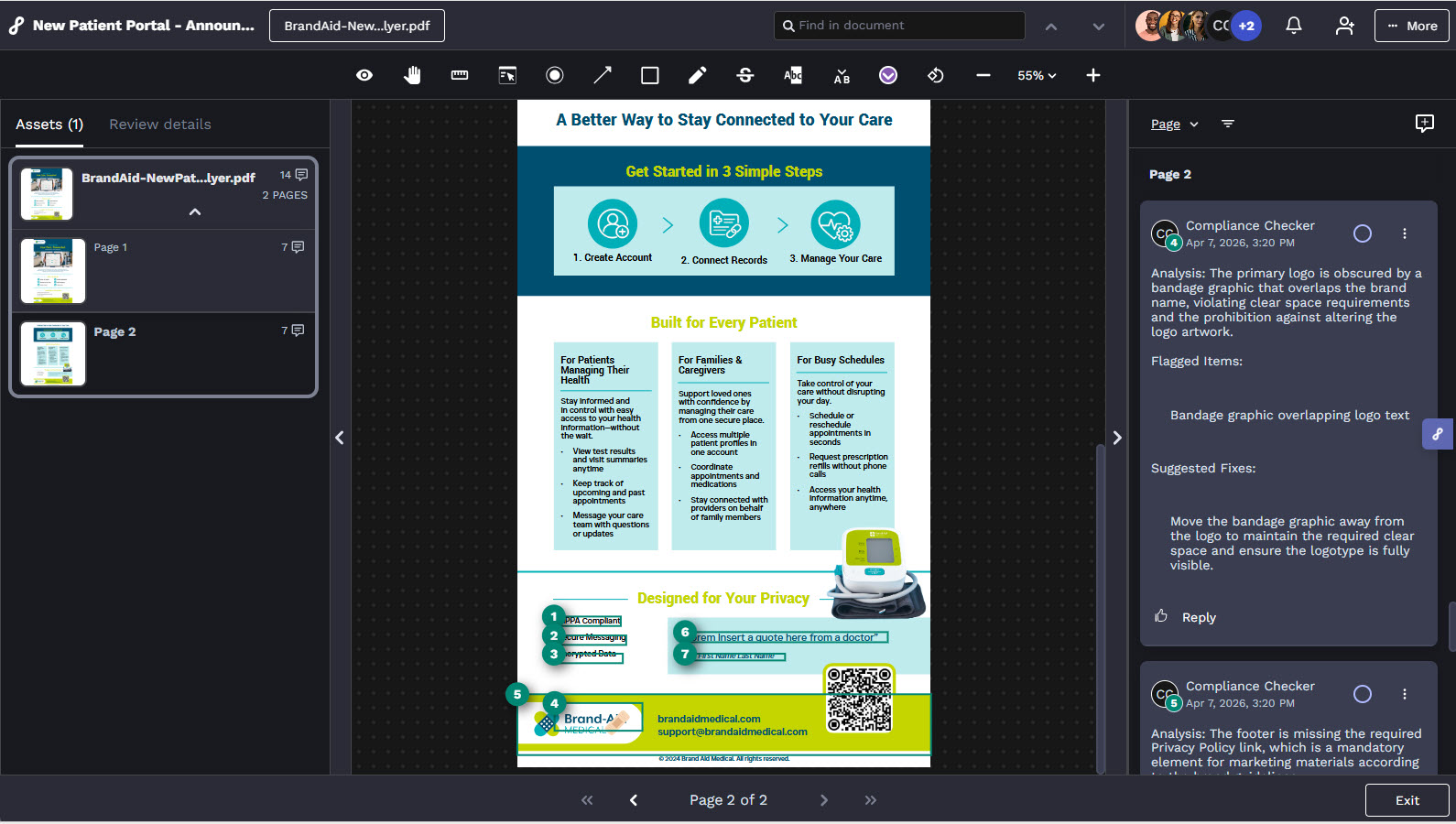
Open the Review to view AI Reviewer findings, which appear as annotations with comments alongside human feedback. Each comment will include:
- Analysis – Explanation of why the content passed or was flagged
- Flagged Items – Specific sections of content that were identified
- Suggested Fix – Recommended updates to resolve issues
AI Reviewer Skills
AI Reviewer Skills are the standards AI Reviewers use to evaluate content. Each Skill checks an asset against specific guidelines, such as required language, promotional rules, logo usage, or typography standards.
There are two types of Skills:
- Regulatory Compliance Skills work for most organizations without customization. Lytho provides default guidelines within these Skills so teams can get started quickly.
- Brand Compliance Skills require customer customization. These Skills are configured to reflect your organization’s unique brand standards and usage rules.
Regulatory Compliance Skills:
- AI Disclosure & Transparency (Image + Text): Checks that AI and machine learning references include required disclaimers.
- Call-to-Action Clarity (Image + Text): Checks CTAs for clarity, brand alignment, and conversion potential.
- Email Opt-Out & Sender ID (Image): Checks for unsubscribe language, opt-out mechanisms, and sender identification.
- Footer Elements (Image + Text): Checks for company name, copyright, legal links, and contact info in footers.
- Grammar & Placeholder Detection (Image + Text): Flags spelling errors, capitalization mistakes, and placeholder content.
- Image Quality (Image): Checks image clarity, text legibility, and detects stretch, compression, or blur.
- Prohibited Words & Phrases (Image + Text): Flags prohibited words, phrases, or themes based on context and intent.
- Promotional Messaging (Image + Text): Checks offers, discounts, and deal language against your promotional guidelines.
- Required Words & Phrases (Image + Text): Checks that required terms or phrases from your approved list are present.
- Unverified Claims (Image + Text): Flags marketing claims that lack evidence or fall outside approved assertions.
Brand Compliance Skills:
- Brand Colors (Image): Checks visual elements against your approved color palette.
- Brand Typography (Image): Checks typefaces, weights, and styles against your brand standards.
- Brand Voice & Tone (Image + Text): Checks language and phrasing against your brand voice guidelines.
- Logo Usage (Image): Checks logo placement, clear space, and proper variant selection.
Pair AI Reviewers with the Chrome Extension and Canva Integration
AI Reviewers power compliance checks across both the Lytho Chrome Extension and Canva Integration, bringing the same standards and intelligence directly into the tools where content is created.
With these integrations, teams can run brand and compliance checks earlier in the process, before content is submitted for formal review. This helps identify issues sooner, reduce rework, and ensure content meets brand and regulatory standards at the point of creation.
- Chrome Extension: Enables users to capture content from any browser-based tool, run AI Reviewer compliance checks in real time, and submit assets to Lytho to initiate a Proof for formal review time
- Canva Integration: Allows users to run AI Reviewer checks directly within Canva and submit designs into Lytho for structured review and approval workflows
Using AI Reviewers across these tools creates a more proactive and consistent approach to compliance, ensuring the same checks are applied whether content is reviewed in Lytho, in Canva, or directly in the browser.