AI Report Insights brings on-demand intelligence directly into your reports, helping you quickly understand performance, trends, and key takeaways without manual analysis.
Instead of digging through data or building summaries yourself, you can ask questions and get instant, contextual insights based on the report you’re viewing. Whether you’re looking to identify trends, summarize results, or surface key metrics, AI Report Insights helps you turn data into action faster.
Features described in this article are not included in all subscription plans. Interested in expanding your feature set? Contact the Lytho Support Team for further assistance.TABLE OF CONTENTS
Enabling AI Report Insights
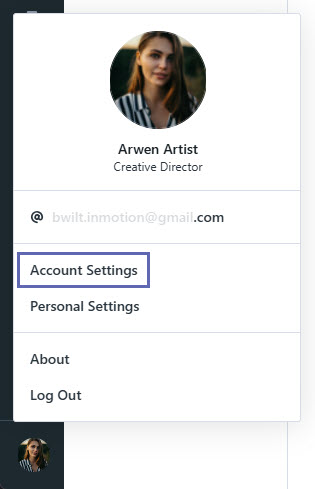
Select your avatar in the bottom-left corner, then click Account Settings. Please note that Admin permissions are required to view and manage these settings.
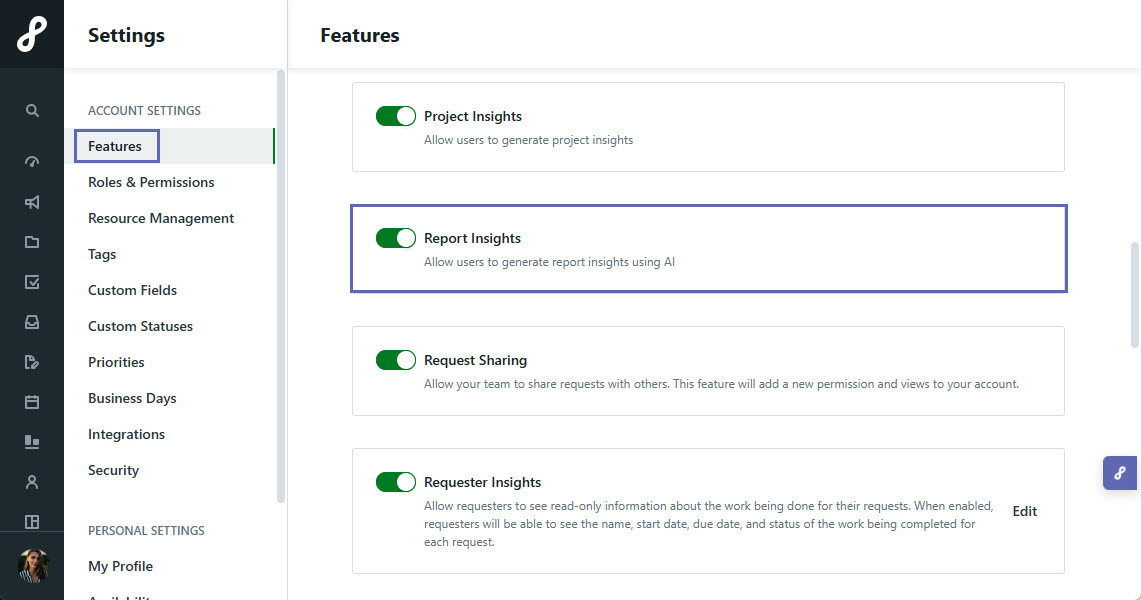
Under Features, toggle on Report Insights to enable the feature in your account.
How to Use AI Report Insights
Navigate to a Report in Lytho Workflow.
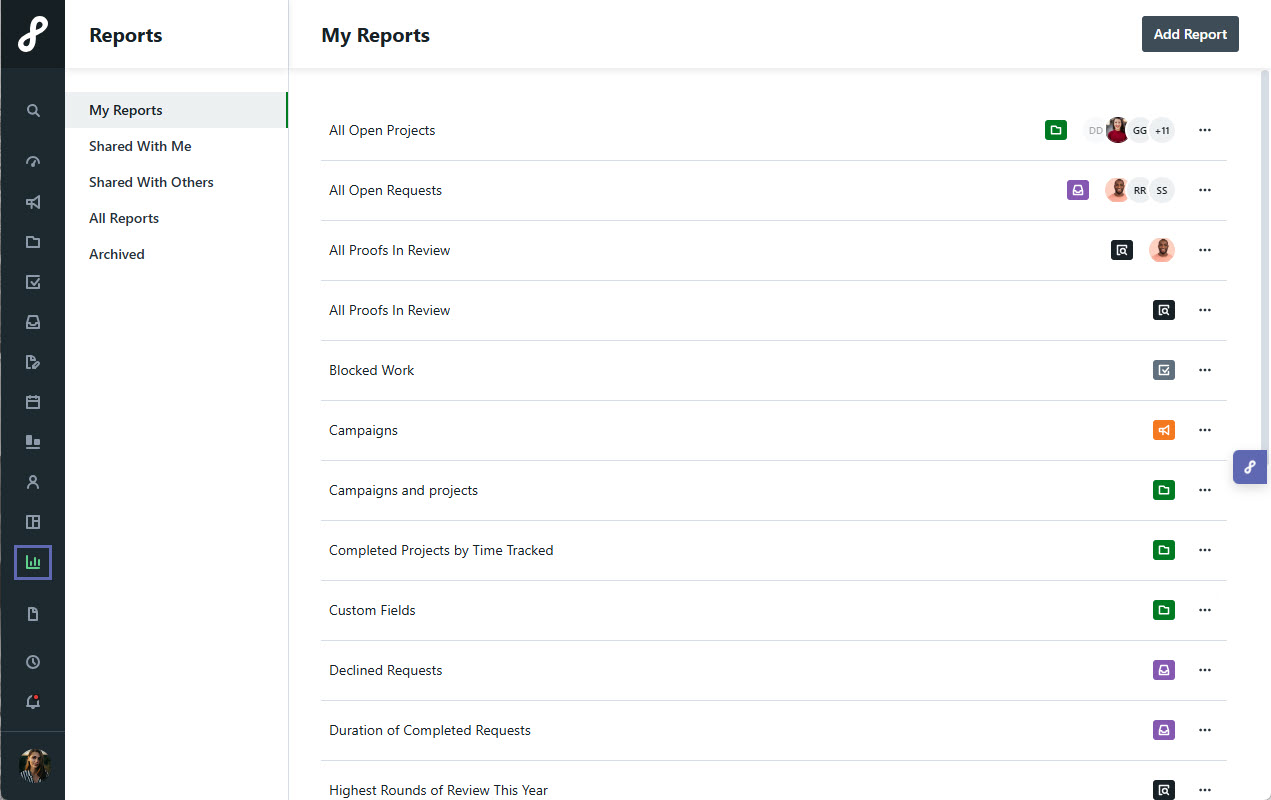
AI Report Insights is currently available within Campaign and Project Reports, including when those Reports are shared. Access to this feature is limited to Team Members.Open the AI Report Insights panel.
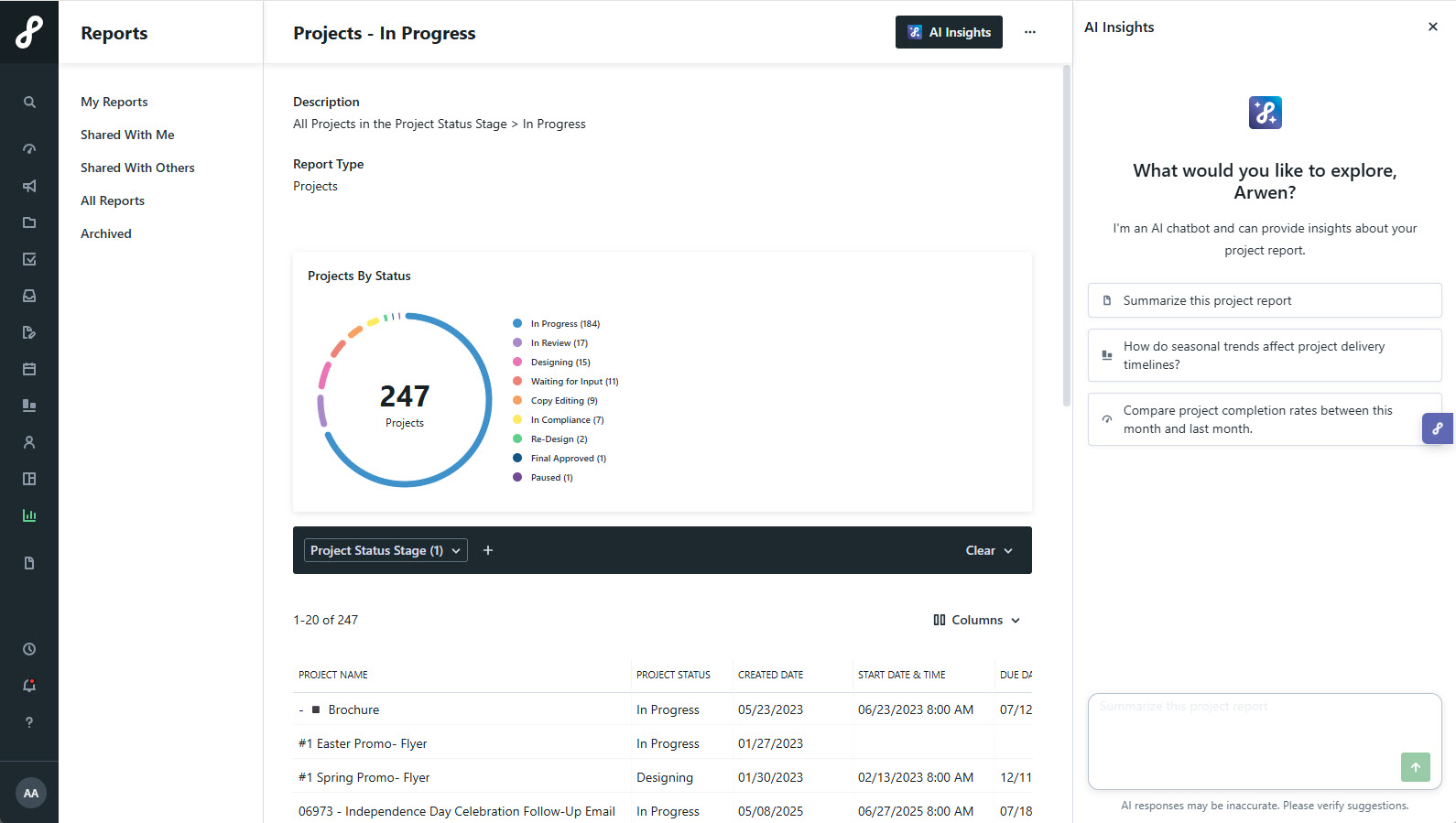
Choose one of the suggested prompts or type your own. Press Enter to generate a response.
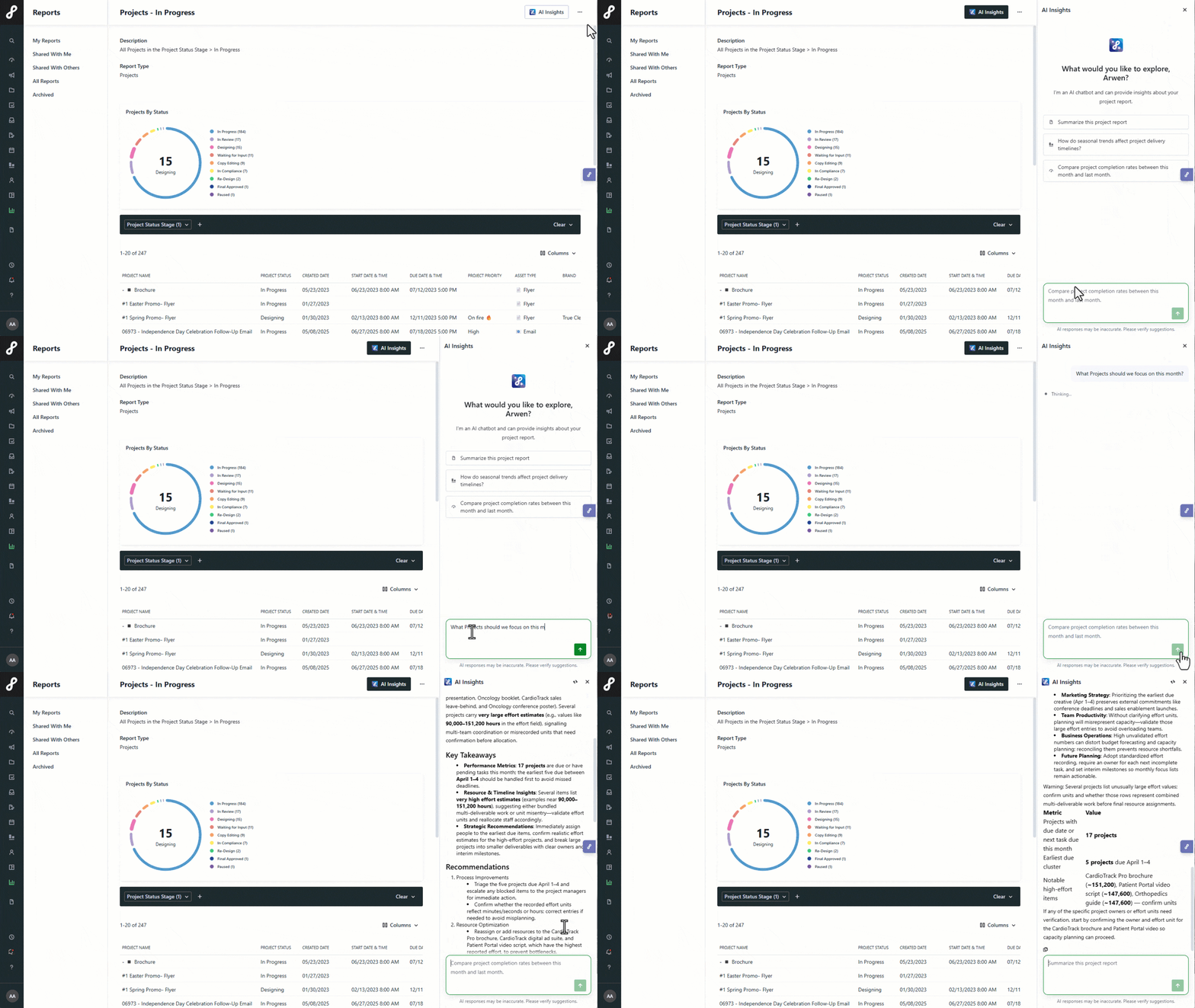
Lytho Pro Tip: Responses are influenced by the filters and columns applied to your Report. Add relevant columns or adjust filters to give AI Report Insights more data to analyze.Continue the conversation with follow-up prompts as needed.
Types of Prompts to Use
AI Report Insights helps you analyze report data by identifying trends, summarizing insights, and generating charts. Prompts will vary depending on the Report Type (Campaigns or Projects), but the examples below can help guide your analysis.
Identify Trends
Surface patterns over time, such as time dimensions, seasonal factors, or month-over-month changes.
Campaigns Report
- Identify trends in Campaign completion rates
- How have Campaigns performed over the last 90 days?
Projects Report
- Summarize Project completion trends over the last quarter
- Identify Projects with the longest cycle times
Summarize Reports
Generate a clear, plain-language summary of key insights without needing to interpret raw data.
Campaigns Report
- Summarize our Campaigns activity over the last 90 days
- Which Campaigns have the highest volume of Deliverables?
Projects Report
- What percentage of Projects are on track vs at risk?
- Which Projects are overdue or approaching deadlines in the next 7 days?
Generate Charts
Create charts and visualizations to quickly understand and share report data.
Campaigns Report
- Create a chart showing Campaign volume over time
- Create a chart of Campaign completion rates
Projects Report
- Create a chart of Project statuses
- Create a chart of Project cycle times