AI Project Insights brings on-demand intelligence directly into your Lytho Projects, helping you quickly understand status, identify risks, and stay ahead of potential delays.
Instead of manually reviewing tasks, comments, and timelines, you can simply ask questions and get instant, contextual answers based on your Project data. Whether you need a quick status update or want to uncover blockers, AI Project Insights helps you make faster, more informed decisions with less effort.
Features described in this article are not included in all subscription plans. Interested in expanding your feature set? Contact the Lytho Support Team for further assistance.TABLE OF CONTENTS
Enabling AI Project Insights
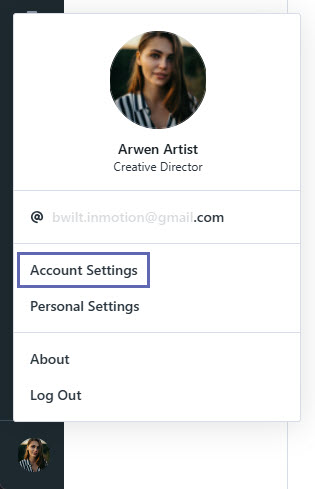
Select your avatar in the bottom-left corner, then click Account Settings. Please note that Admin permissions are required to view and manage these settings.
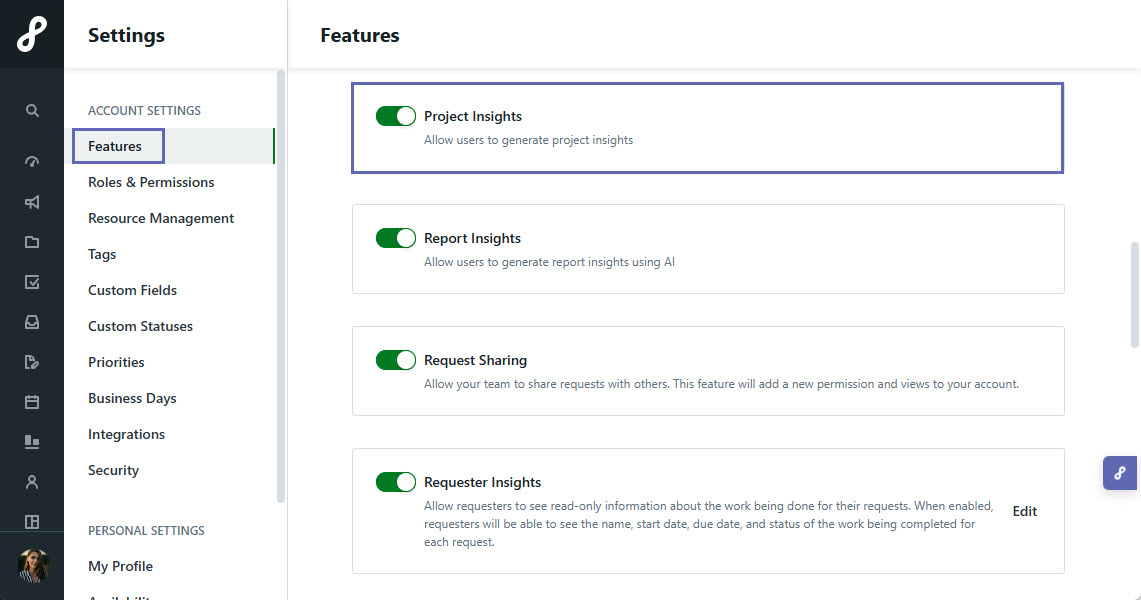
Under Features, toggle on Project Insights to enable the feature in your account.
How to Use AI Project Insights
Navigate to an individual Project in Lytho Workflow.
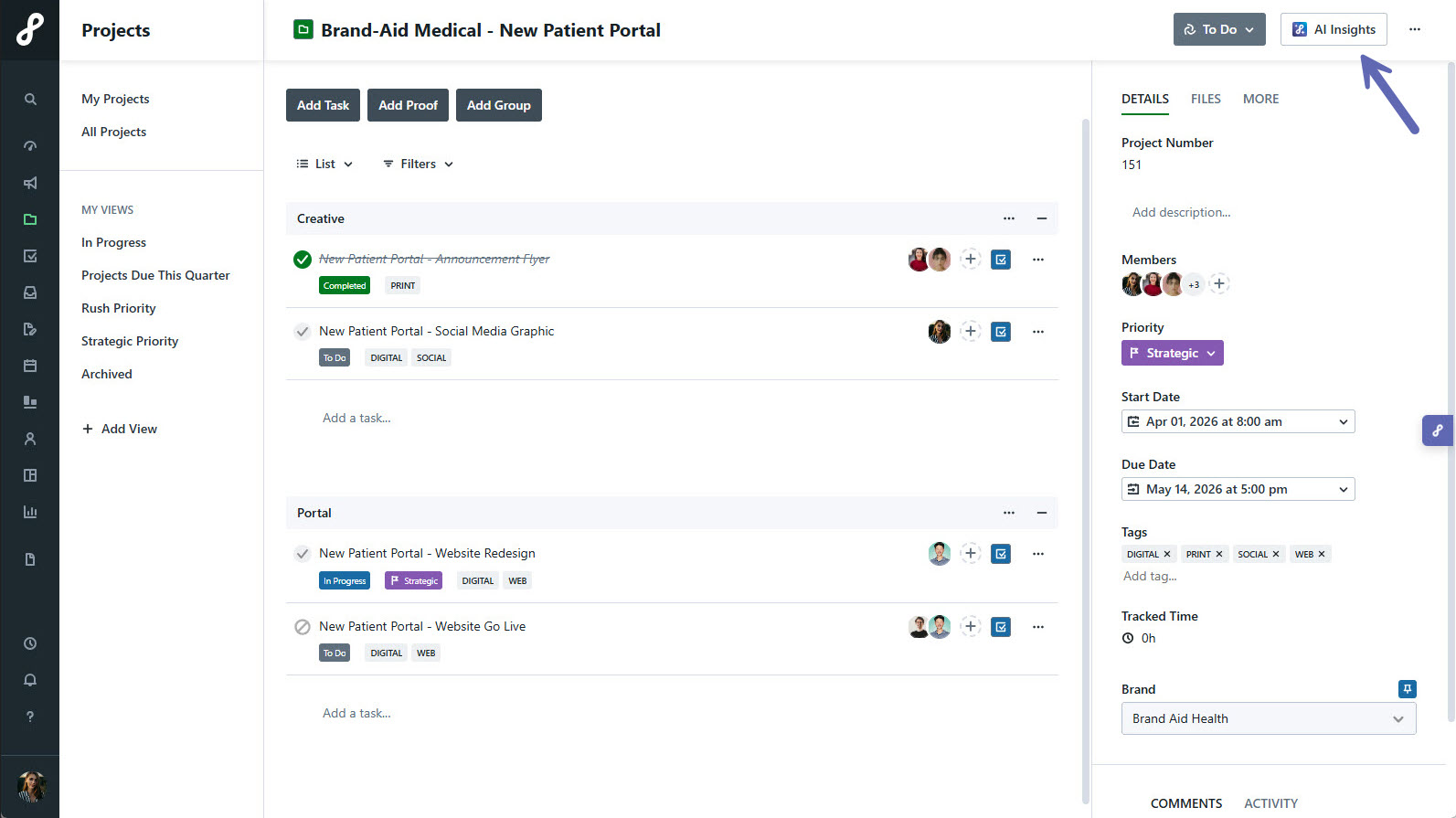
Open the AI Project Insights panel.
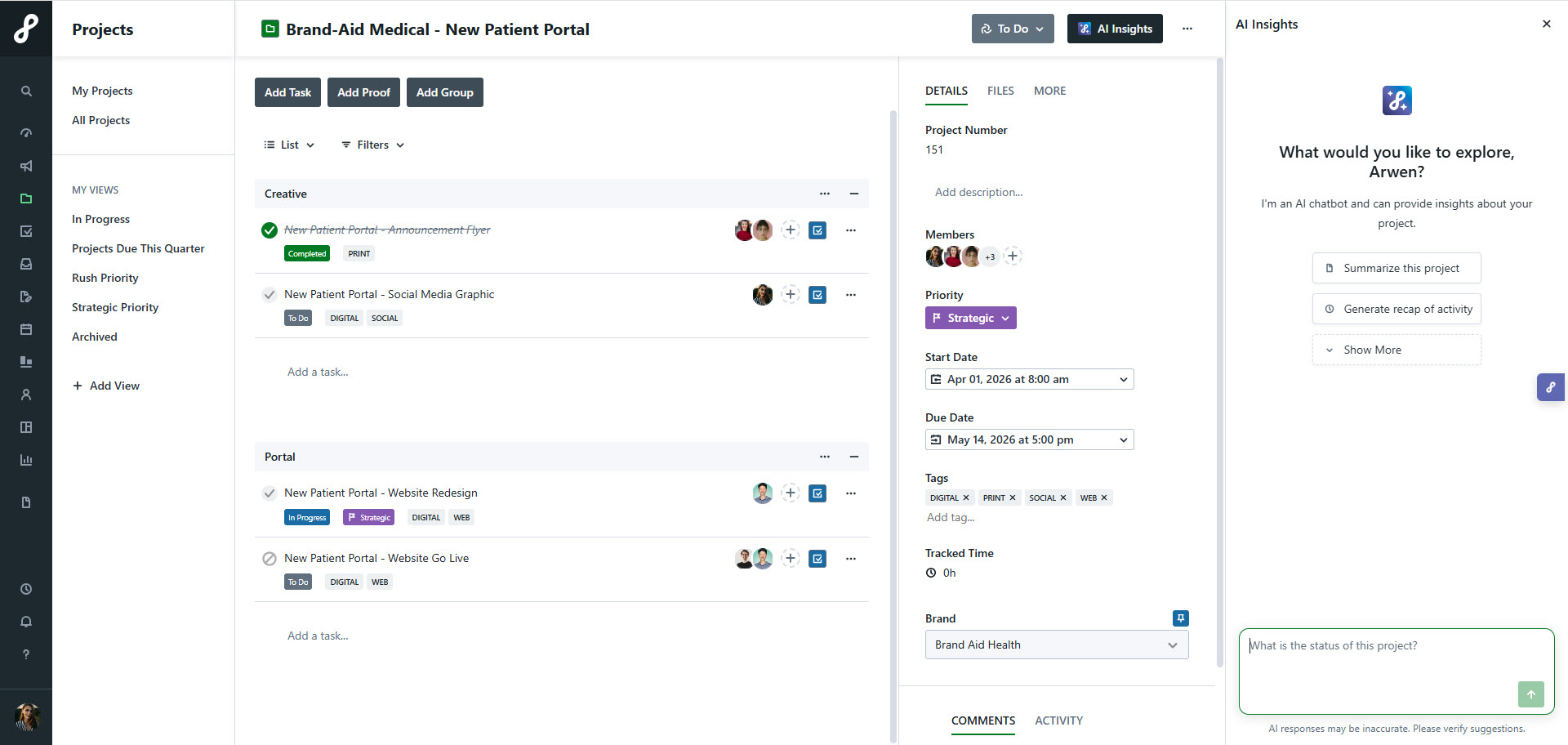
Choose one of the suggested prompts or type your own question. Press Enter to generate a response.
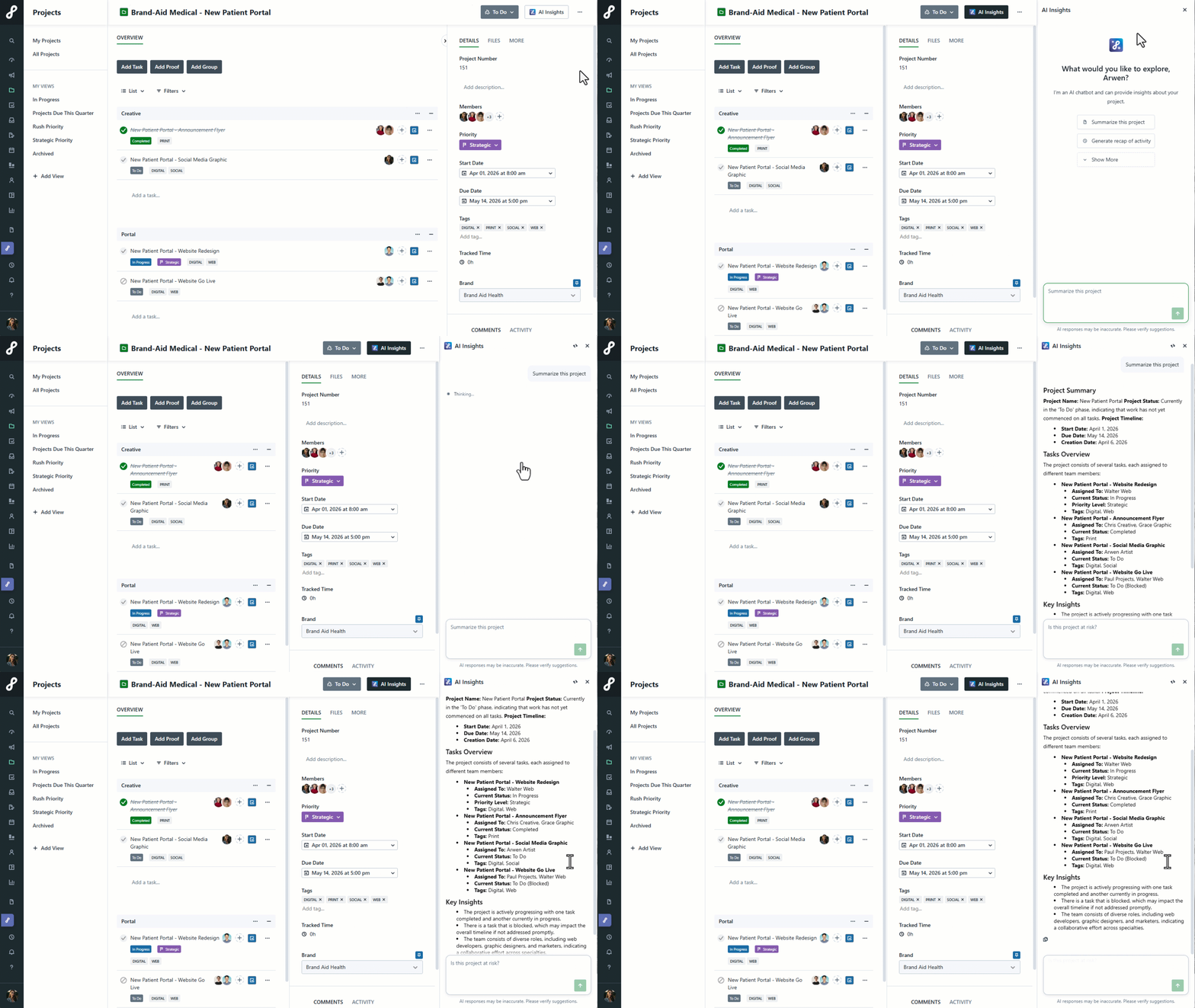
AI Project Insights can answer questions about Tasks, Statuses, Assignees, Due Dates, Request types, and Project metadata within the currently open Project. Continue the conversation by asking follow-up questions.
Types of Prompts to Use
AI Project Insights is designed to help you quickly understand project health, identify risks, and take action. Use prompts like these to guide your conversation:
Project Summary
Get a high-level view of your Project, including scope, milestones, and overall health.
Sample prompts:
- What is the current status of this Project?
- What are the key milestones and are we on track?
- Summarize Project progress over the last two weeks
Activity Recap
Review recent activity to understand what’s changed and where work is progressing, such as new Review versions uploaded, Reviews completed, comments added, and status changes.
Sample prompts:
- What has happened in this Project over the last two weeks?
- Summarize recent activity in this Project
- What Tasks or Proofs were recently completed?
- What comments have been posted this month?
Status Update Generation
Quickly generate a stakeholder-ready update summarizing progress, completed work, and open items.
Sample prompts:
- Write a high-level status update for this Project
- Create a Project update I can share with my leadership
- Summarize progress, completed Work items, and open items
Risk Assessment
Identify potential risks that could delay progress or impact delivery, such as overdue tasks, stalled Reviews, repeated version rejections, approaching deadlines with incomplete work
Sample prompts:
- Are there any risks that could delay this Project?
- What Tasks are overdue or at risk?
- Are we on track to meet upcoming deadlines?
Blocker Identification
Surface specific items preventing progress so you can take action quickly.
Sample prompts:
- What is currently blocking this Project from moving forward?
- What Work items are stalled?
- What team member has the most Work to still complete?
Comment & Feedback Triage
Identify comments and feedback that needs attention and uncover patterns that may be slowing progress.
Sample prompts:
- Are there any unresolved comments or feedback?
- What feedback still needs action?
- Are there recurring issues in feedback causing delays?