AI Tag Suggestions streamline and improve the asset tagging process in Lytho DAM by suggesting relevant, context-aware tags. These suggestions align with your organization’s approved tag taxonomy, ensuring consistent metadata, reducing manual effort, and enhancing asset discoverability.
Features described in this article are not included in all subscription plans. Interested in expanding your feature set? Contact the Lytho Support Team for further assistance.
TABLE OF CONTENTS
Prerequisites
- AI Search must be enabled for your Lytho DAM account.
- Tags must already exist in your account taxonomy. AI will only suggest from your existing list; it does not generate or add new tags.
- Only Roles with the DAM > Add assets rule can confirm suggested tags.
How It Works
AI Tag Suggestions appear during the asset upload or edit process:
- When an asset is uploaded, the AI model identifies key features like objects, people, colors, or places. It uses its training data (millions of images it’s learned from) to recognize these elements.
- Based on this analysis, Lytho recommends tags that are a contextual match.
- Users can choose to accept or ignore each tag before saving.
Lytho's AI model is pre-trained. We will not use customer data to further train the model. Using AI Tag Suggestions
Select an asset, from the Asset Manager or Waiting Room, and navigate to the TAGS tab.
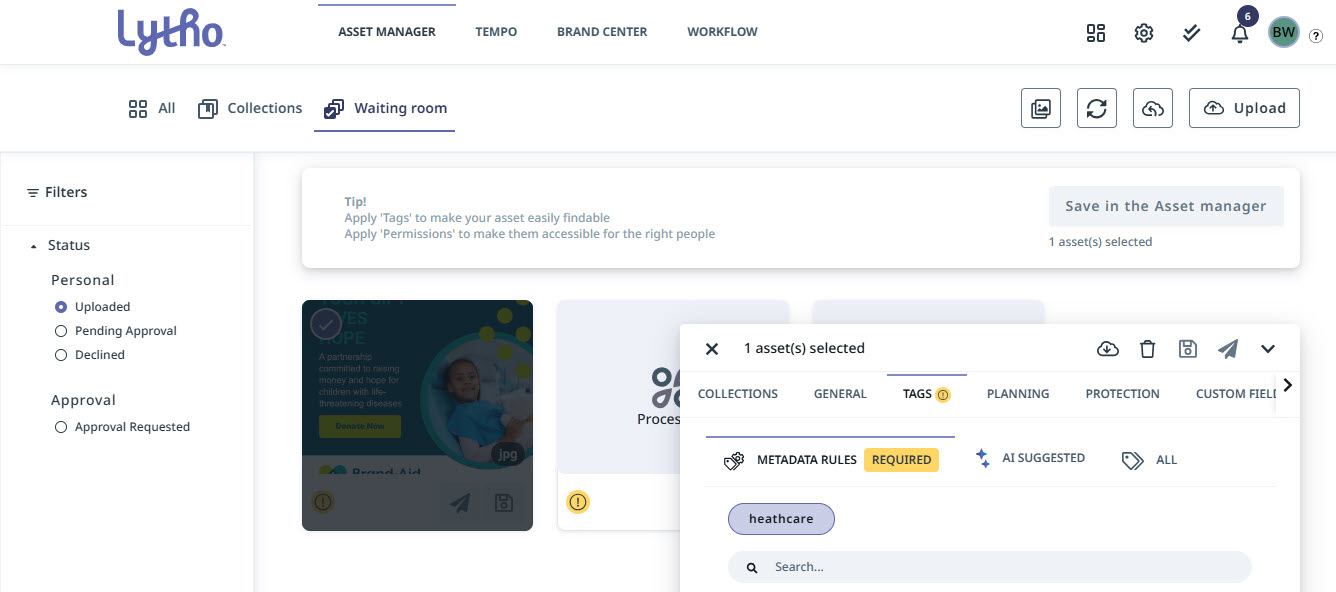
Select AI SUGGESTED to see suggested tags. Each AI Tag Suggestion will be outlined in a blue and purple gradient.
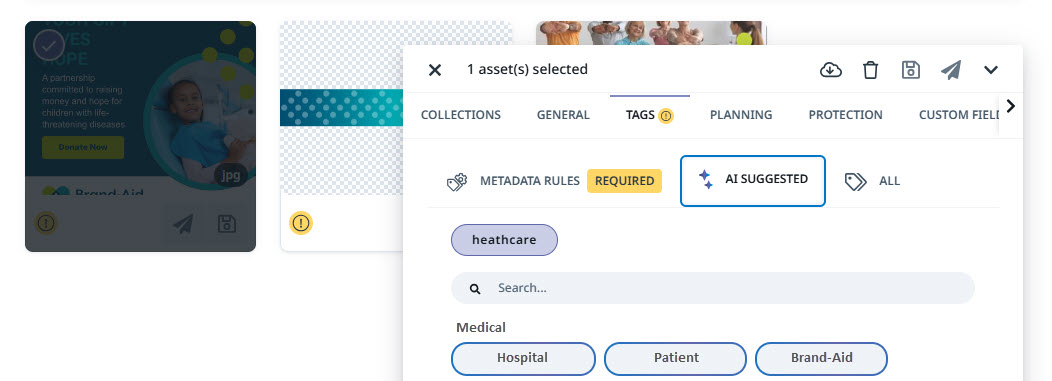
Review each suggestion: Click to accept or leave unselected to ignore.
Save your asset once all desired fields are applied.
Lytho Pro Tip: Pair AI Tag Suggestions with requirements in Metadata Rules and all tags available from your tag taxonomy.
File Types Supported
JPG and PNG files are supported. Other file types are not supported at this time.